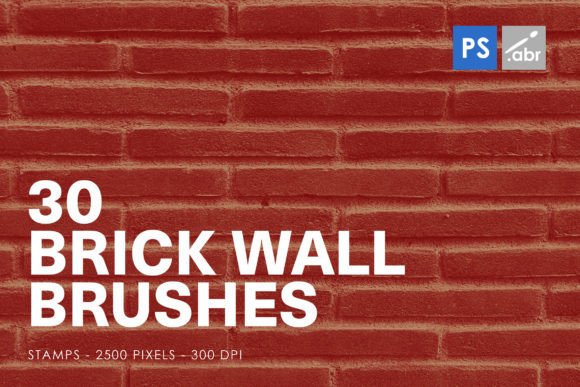
Transforming Digital Spaces with 30 Brick Wall Photoshop Stamp Brushes
In the realm of digital art and graphic design, texture is often the unsung hero that separates a flat, amateur-looking composition from a piece that feels tangible and real. Among the vast array of tools available to designers, Brick Wall Photoshop Stamp Brushes have carved out a niche for themselves as indispensable assets. Whether you are crafting a gritty urban background, designing a logo with industrial flair, or adding realistic wear and tear to a digital painting, these brushes offer a shortcut to authenticity. Specifically, collections containing 30 Brick Wall Photoshop Stamp Brushes provide a diverse palette of styles, ensuring that no two projects look identical.
The Power of Texture in Digital Design
Why do we crave the look of brick? It speaks to history, stability, and raw materiality. In the digital world, where everything can appear too clean and sterile, introducing organic imperfections is crucial for visual interest. A brick wall isn't just a series of red rectangles; it is a complex interplay of mortar, chipped edges, weathering, and shadow. Using high-resolution stamp brushes allows designers to replicate this complexity without having to model every single pixel manually.
The specific set of BRICK WALL PHOTOSHOP STAMP BRUSHES FOR PHOTOSHOP CS2 – CC All versions is designed to bridge the gap between technical compatibility and artistic freedom. By supporting versions ranging from the legacy CS2 to the latest Creative Cloud iterations, these brushes ensure that both seasoned professionals and hobbyists can utilize them regardless of their software ecosystem. The uniform size of 2500 pixels across all brushes guarantees consistency in scale, making it easier to mix and match different brick styles within a single composition without worrying about drastic resizing artifacts.
Versatility Beyond Simple Texturing
While the primary use case for these brushes is obviously creating brick textures, limiting their application to mere backgrounds would be a disservice to their potential. The versatility of 30 Brick Wall Photoshop Stamp Brushes lies in their adaptability across various creative workflows.
Photo Overlays and Manipulation
One of the most effective ways to integrate these brushes is through photo manipulation. Imagine taking a standard portrait and overlaying a subtle brick texture on the clothing or the background environment. This technique adds depth and context, grounding the subject in a physical space. Because the brushes are high-resolution images, they retain clarity even when scaled down or blended using modes like Multiply, Overlay, or Soft Light. This makes them perfect for creating "grunge" effects or adding a sense of age to modern digital portraits.
Digital Artwork and Visual Effects
For concept artists and game designers, speed is of the essence. When building environments for video games or cinematic visual effects, modeling individual bricks for every wall is computationally expensive and time-consuming. Instead, artists can use these stamp brushes to quickly populate walls with varied brick patterns. The variety within the set of 30 brushes means an artist can create a neighborhood where each building has a slightly different masonry style, enhancing realism without increasing polygon counts or rendering times.
Decorative Elements and Typography
Graphic designers often struggle with typography that needs to feel rugged or vintage. Instead of relying on fonts that may not convey the right mood, one can use these brushes to fill text shapes with brick textures. This technique, known as text filling, allows for unique typographic treatments that stand out. Furthermore, these brushes serve as excellent decorative elements for posters, album covers, and web banners. A strategically placed cluster of bricks can frame content or act as a visual anchor, drawing the viewer's eye to key information.
Technical Specifications and Workflow Integration
Understanding the technical specifications of these brushes helps users maximize their utility. The mention of 2500 pixels size is significant. In digital imaging, resolution dictates quality. A brush that is too small will pixelate when used on large canvases, while one that is excessively large might slow down performance unnecessarily. The 2500-pixel dimension strikes a balance, offering enough detail for close-up inspection while remaining manageable for general use.
Compatibility is another critical factor. The specification PHOTOSHOP CS2 – CC All versions indicates broad support. For users on older systems running CS2, the brushes function seamlessly without requiring updates. For those on the cutting edge with Creative Cloud subscriptions, the brushes are optimized to take advantage of newer features like cloud libraries and advanced blending engines. This cross-generational compatibility ensures that teams working in mixed-software environments can collaborate without friction.
- High-Resolution Quality: Ensures crisp edges and detailed mortar lines, preventing the "blurry" look associated with low-quality clipart.
- Varied Styles: With 30 distinct brushes, users get a range of brick types—red clay, grey stone, distressed, new, and old—allowing for narrative accuracy in designs.
- Easy Installation: Most brush sets of this nature come with straightforward installation instructions, allowing designers to add them to their toolbars in minutes.
Practical Considerations for Users
When incorporating 30 Brick Wall Photoshop Stamp Brushes into a project, it is important to consider lighting and perspective. A brick wall does not exist in a vacuum; it interacts with light sources. To achieve a professional result, designers should adjust the opacity, rotation, and scale of each stamp instance. Avoid placing bricks in a perfectly straight, grid-like formation unless aiming for a stylized, abstract look. Natural walls have irregularities, and mimicking this randomness leads to more convincing results.
Another consideration is color grading. The default colors of the brick brushes may not match the overall color palette of your project. Utilizing Photoshop’s adjustment layers, such as Hue/Saturation or Color Balance, allows you to tint the bricks to fit warmer or cooler themes. For instance, a cyberpunk aesthetic might benefit from neon-tinted bricks, while a historical documentary theme might require desaturated, dusty tones.
Enhancing Creativity with Mixed Media
The true magic happens when these brushes are combined with other techniques. Layering a brick stamp over a watercolor texture can create a hybrid effect that looks hand-painted yet structurally sound. Combining them with noise filters can simulate the grit of urban decay. These brushes act as a foundation upon which further creativity can be built. They are not just end-products but starting points for complex compositions.
For educators and students, these brushes offer a practical way to teach texture integration. Understanding how to blend digital stamps with photographic elements is a core skill in modern digital arts education. The availability of such resources democratizes access to professional-grade effects, allowing learners to experiment with realism without needing advanced 3D modeling skills.
Conclusion on Utility and Impact
In summary, the adoption of 30 Brick Wall Photoshop Stamp Brushes represents a smart investment of time and resources for any digital creator. The combination of high resolution, broad software compatibility, and versatile application scenarios makes them a staple tool. Whether you are looking to add a touch of industrial chic to a web design, create immersive environments for gaming, or simply enhance the tactile quality of your artwork, these brushes provide the necessary tools to elevate your work. By leveraging the power of texture, designers can move beyond the flat screen and create digital experiences that feel grounded, real, and engaging.
As technology continues to evolve, the demand for authentic, high-quality assets remains constant. These brushes meet that demand by providing reliable, easy-to-use solutions for a common design challenge. They empower creators to focus on the big picture—the story, the emotion, the message—while trusting the details to be handled by robust, well-crafted tools. In a market saturated with generic templates, the ability to customize and personalize with precise, high-fidelity elements like brick wall stamps sets exceptional work apart from the rest.